
Inviting professionals/user to a team (Reach2Teach Lead and Team Lead only)
As a Reach2Teach Lead or Team Lead you can invite professionals to a team.
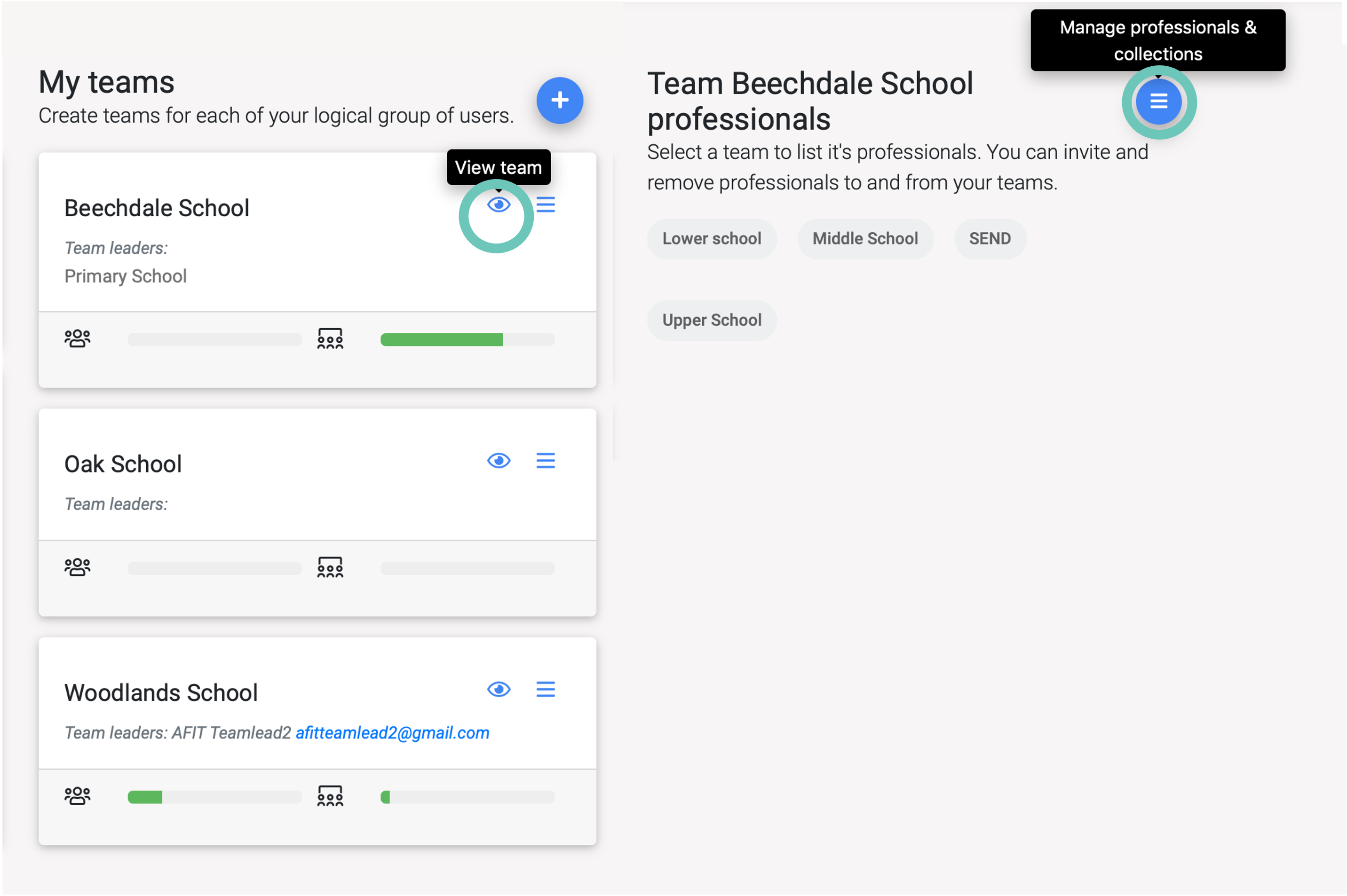
In My Group/Teams, under My Teams section, click on the eye (View team) icon of the team you want to view and then click on the Manage professionals & collections icon.
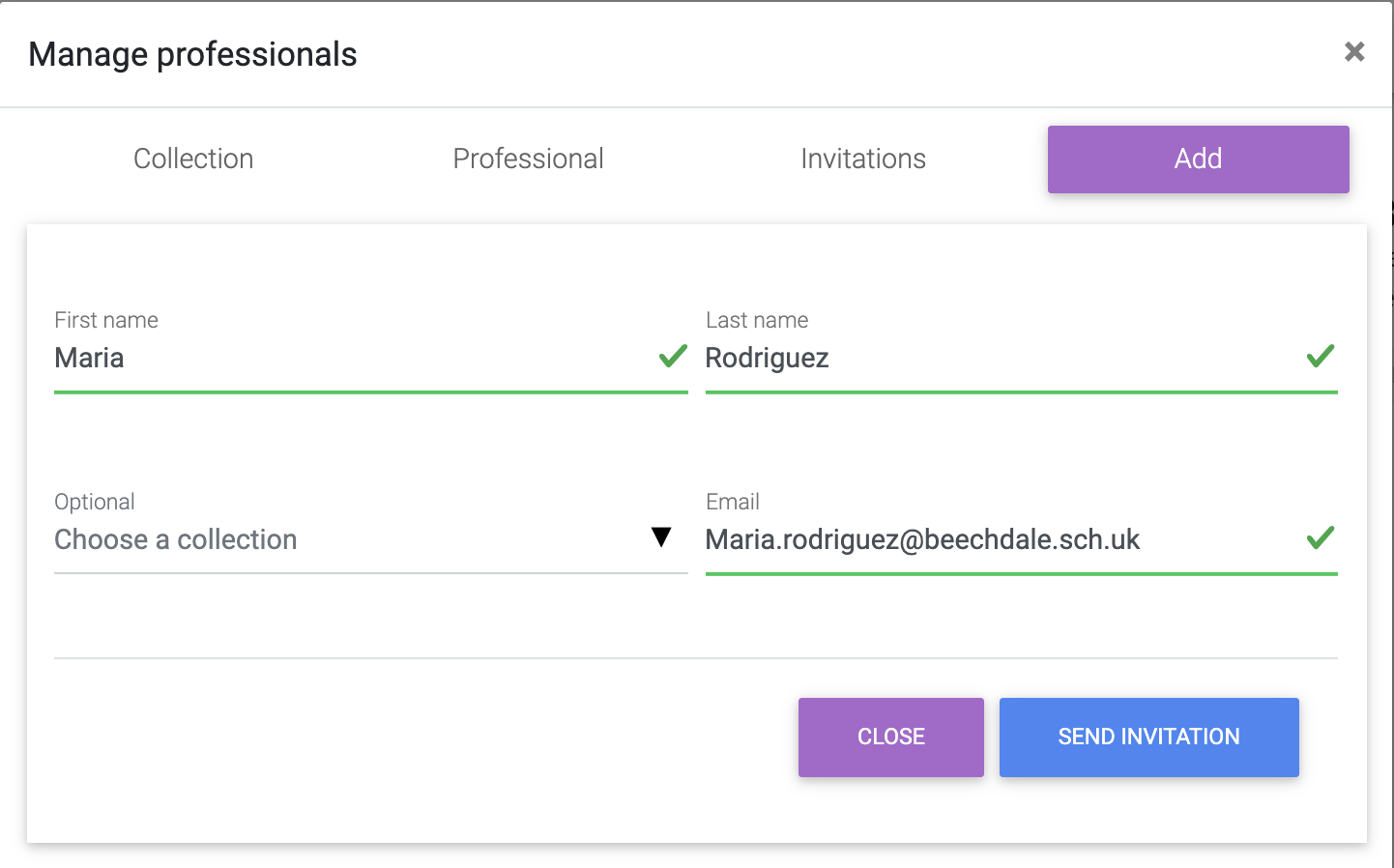
In the Add tab add the professional’s details
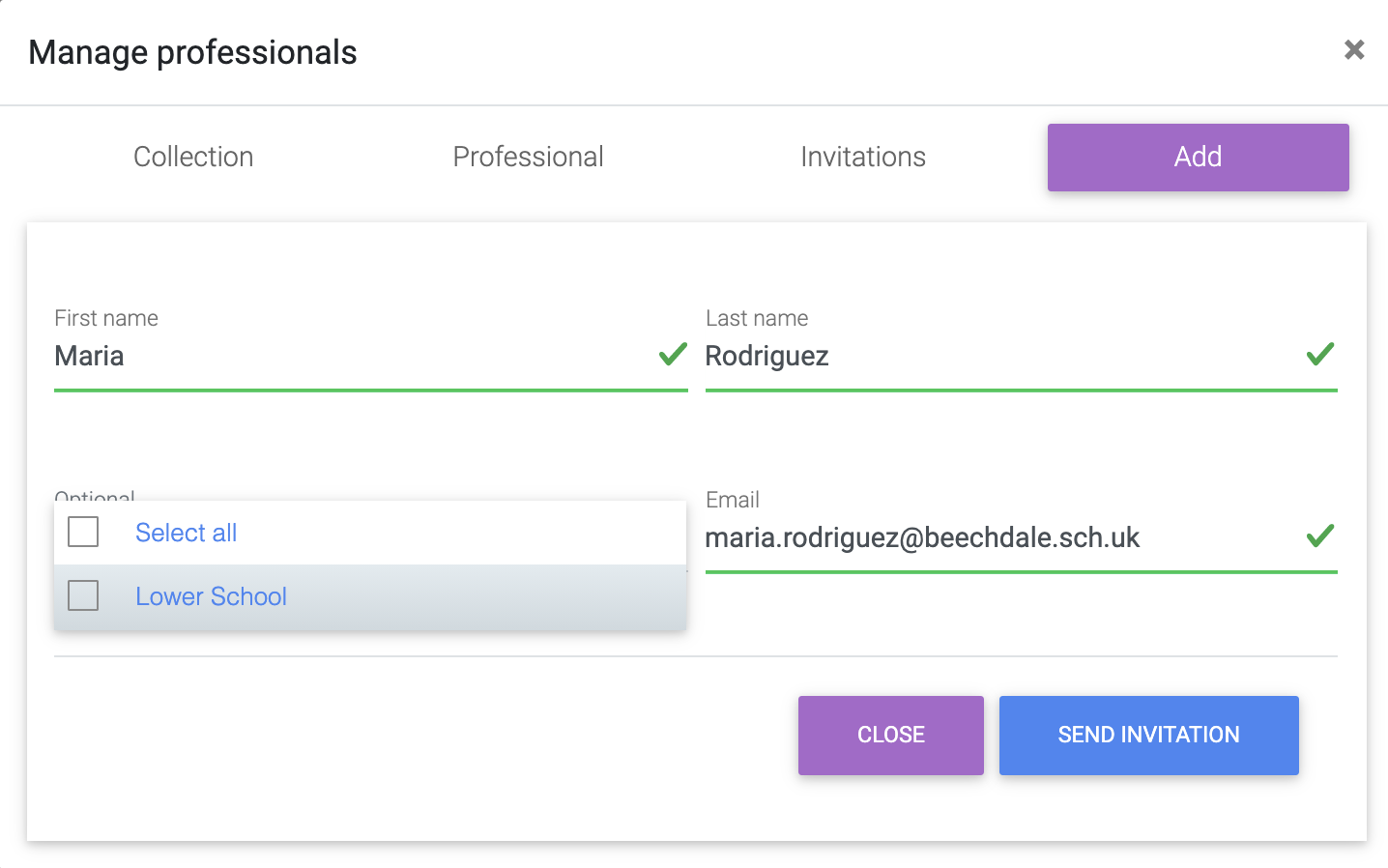
Add the professional to a Collection(s) e.g. Lower School, Newton House etc or Select all if you want them to have access to all pupils within that team and send invitation.
The new professional will be sent an email so that they can activate their account. If the professional is already registered with your Reach2Teach account (within another team) they will automatically be added to this team as well.