Deleting a professional/user (Reach2Teach Lead and Team Lead only)
Should a professional leave your organisation you may wish to delete their account from your Reach2Teach account.
In My Users in the left-hand menu.
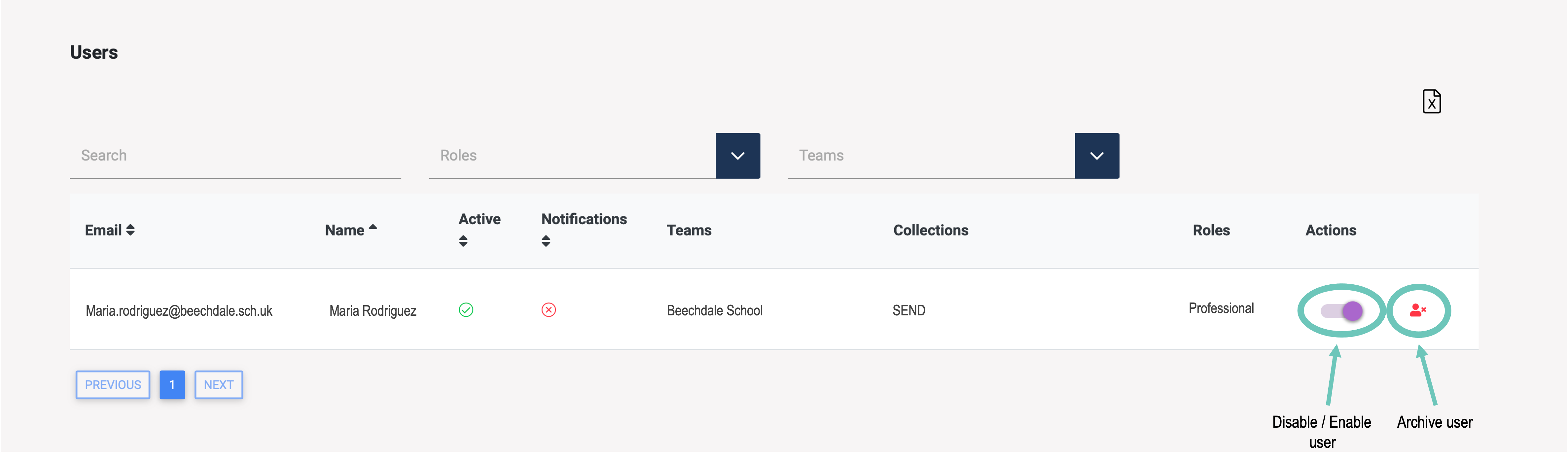
Next to the appropriate user, select Disable / Enable to suspend the user’s account or to enable it again
Or select archive user to permanently remove the user’s account.
Or
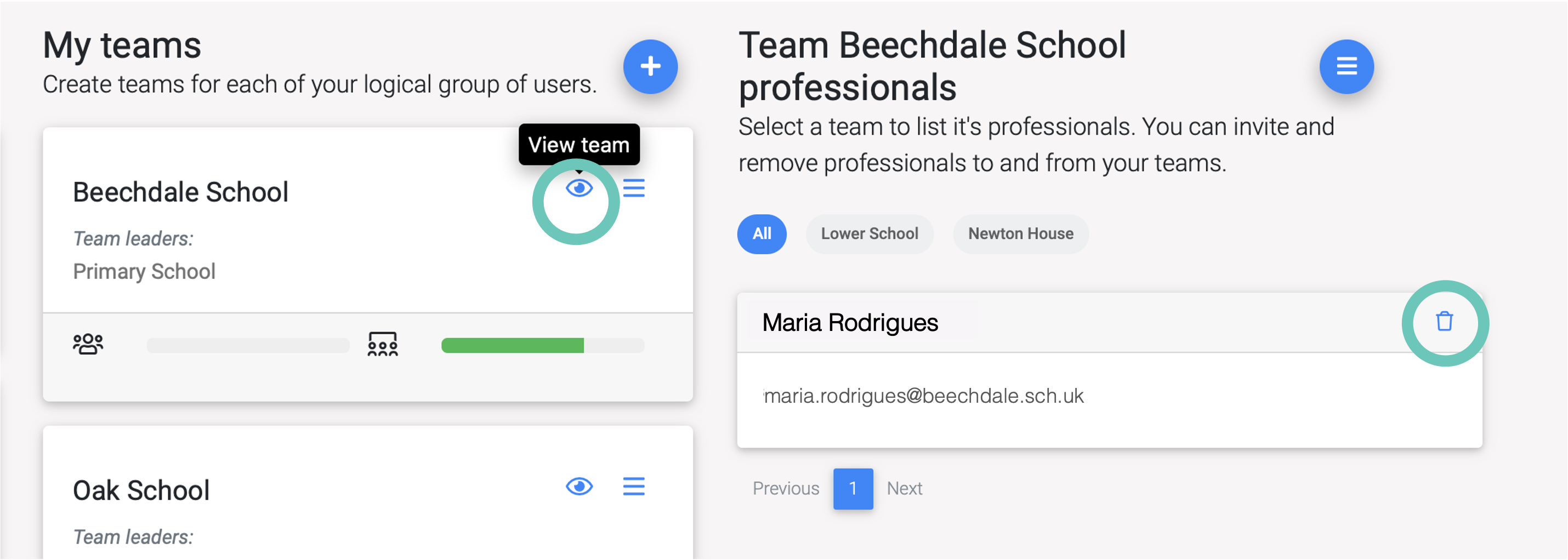
In My Groups/Teams, under My Teams section, click on the eye (View team) icon of the team the professional is allocated to and click the Delete icon next to their name.