
Logging a SDQ score (Strength and Difficulties Questionnaire) – Optional
Should you wish to, you can enter SDQ scores and track changes (this is optional). A reduction in insecure behaviour patterns should correlate with a reduction in the SDQ score.
Learn more about SDQs here
We recommend that your organisation always uses the same form of SDQ and we would recommend using the Single-sided version without impact supplement SDQ for parents-or teachers of 4-17 year olds and score it using Scoring instructions for SDQs for 2-17 year olds, completed by parents, teachers or self-report.
The assessment summary pages of AFIT gives a traffic light system for the SDQ score in-line with the Original 3-band categorisation of the Teacher completed SDQ (0-11=Green, 12-15=Amber and 16-40=Red).
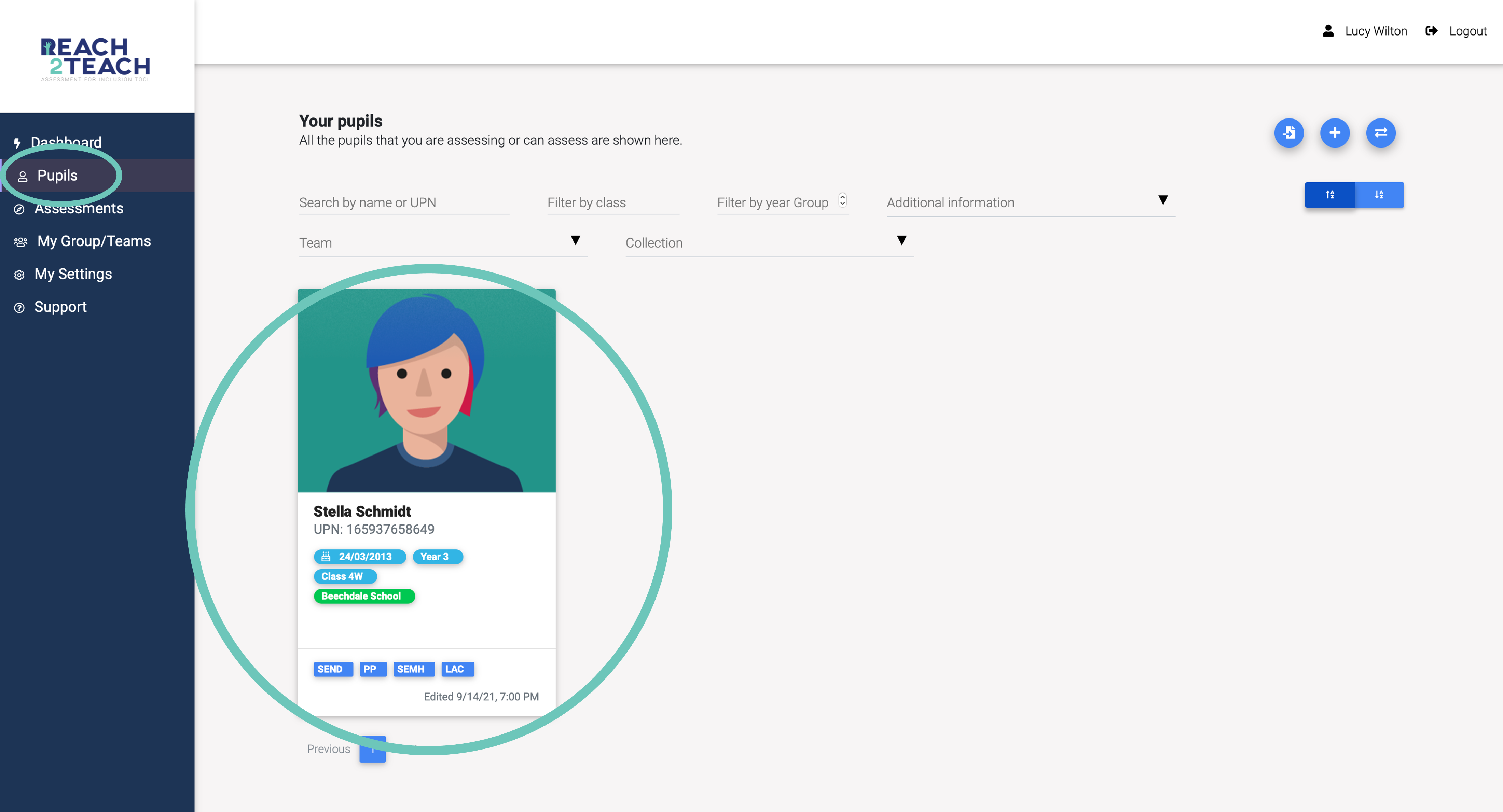
In Pupils section, select the pupil you wish to add the SDQ score.
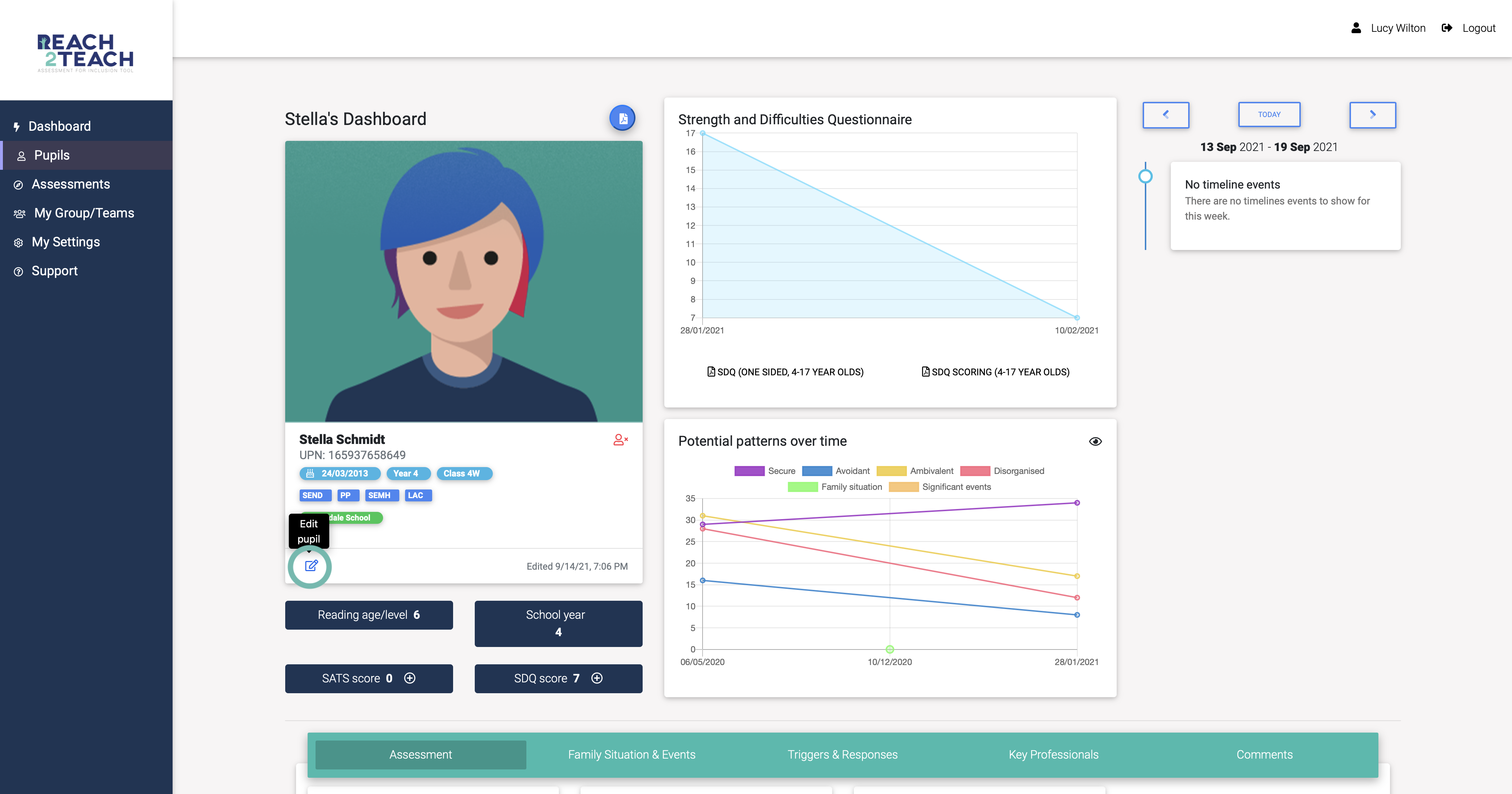
Select the Edit pupil icon.
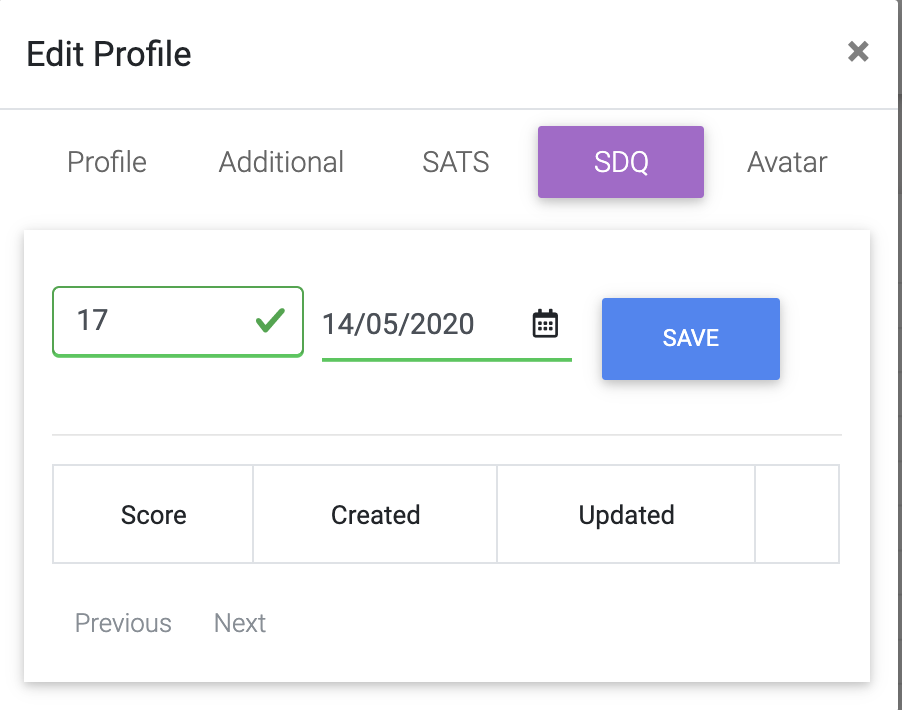
Enter the Teacher completed SDQ score, the date it was completed and Save.
The entered SDQ score will automatically show in the SDQ score box on the pupil dashboard and will be plotted on the Strength and Difficulties graph.