
What is a Team within a Reach2Teach account?
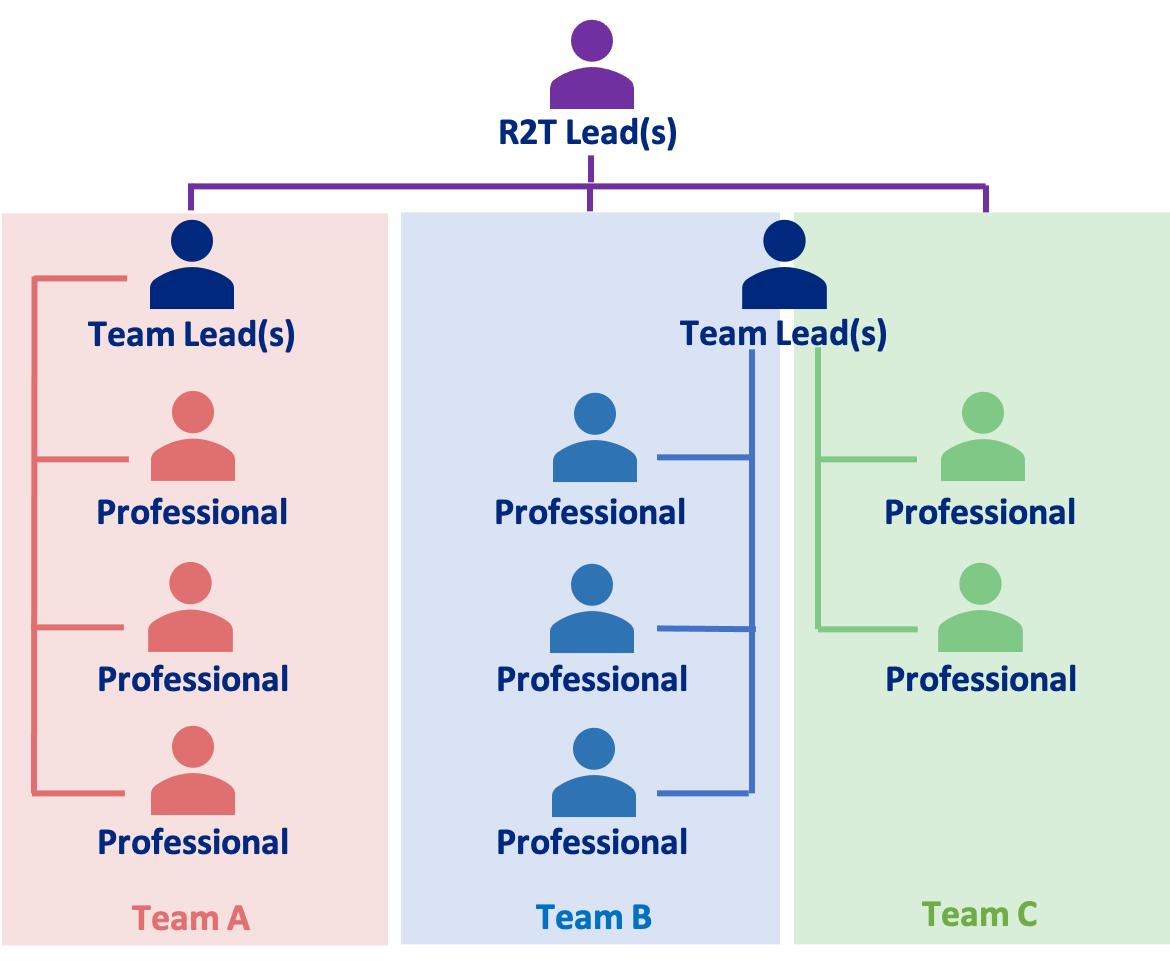
You can divide you Reach2Teach account into Teams i.e. if your account is for several schools or your organisation is situated on different sites etc. A Reach2Teach Lead can delegate a Team to a Team Lead(s) (see – Allocating a Team Lead).
Data within one team is contained within that Team. For example, a Team Lead or Professional from one Team within your account can only see the data within the Team that they are allocated to and not the data of other Teams within the same account. This is to ensure that each Team is GDPR compliant. The Reach2Teach Lead(s) can oversee all Teams.
Simple team example – e.g. a school on one site (1 team – use the existing default ALL team, you can divide a team into collections, see Creating Collections in the Support section)
Organisation-wide team example – e.g. Virtual Schools, Academy Trusts, schools across several sites (several team)
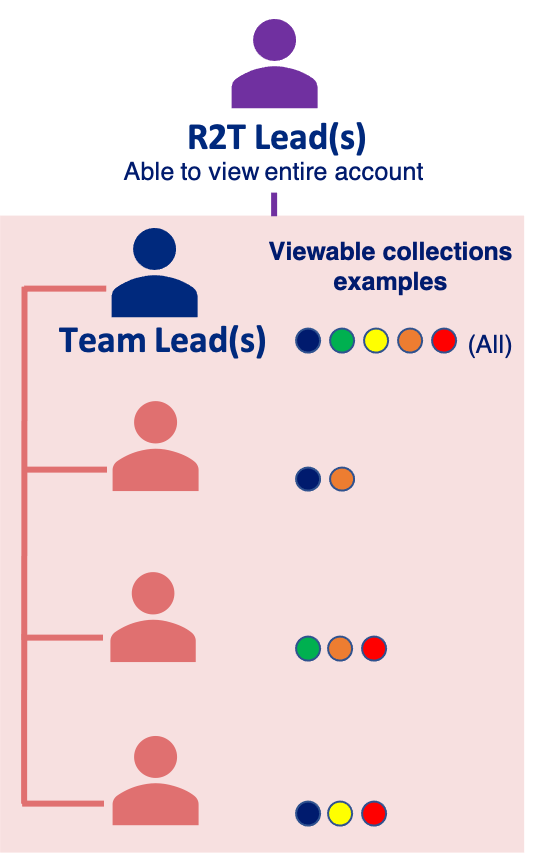
In a similar way a Team itself can be divided into Collections i.e. if you want to have a collection for year groups, house systems, SEND etc within a Team. When the Reach2Teach Lead(s) or Team Lead(s) invites a professional to their Team they can determine which collections the professional is able to see or whether they want the professional to be able to see all pupils in that Team (see Inviting professionals/users to a team, Creating collections and Adding or removing a professional/user to a collection(s)).