Adding or removing a professional/user to a collection(s) (Reach2Teach Lead and Team Lead only)
Once a professional has activated their account they can be added to multiple collections if desired.
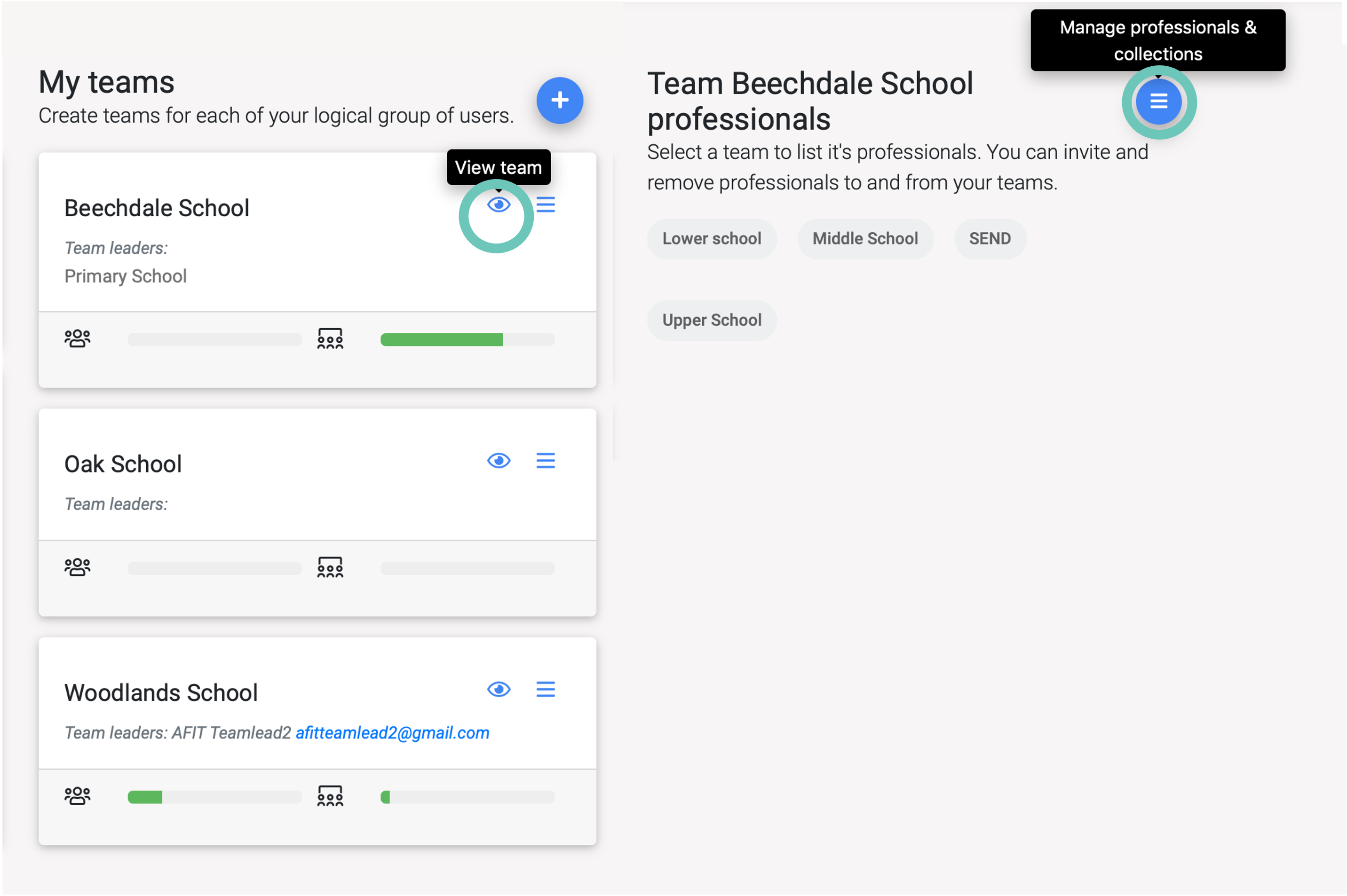
In My Group?Teams, under My Teams section, click on the eye (View Team) icon of the team you want to view and then the Manage professionals & collections icon.
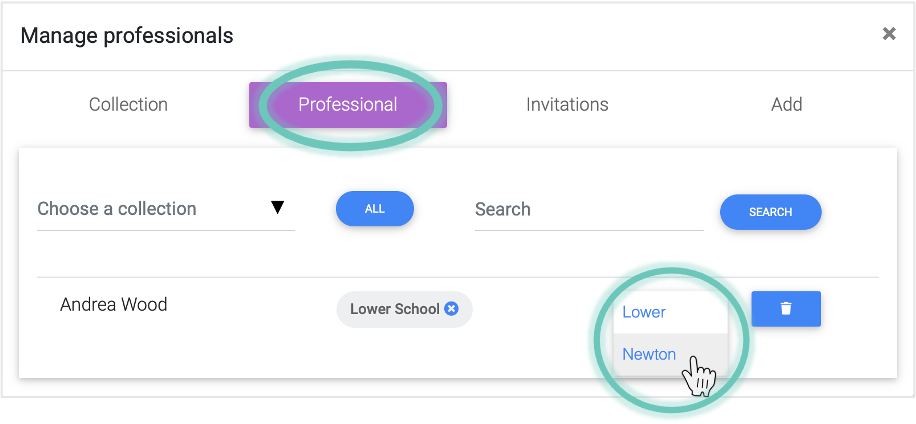
To add a professional to a collection – In the Professional tab find the professional you want and click add collection and select the desired collection.
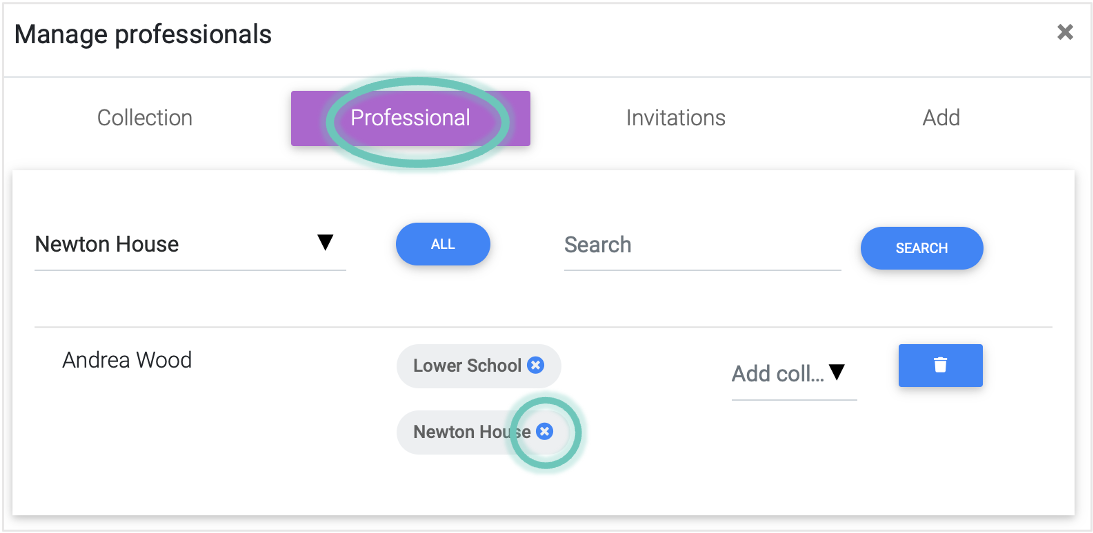
To remove a professional from a collection – In the Professional tab find the professional you want and click on the cross icon on the collection you wish to remove them from