
Deleting a Team Lead (Reach2Teach Lead only)
You may need to remove a Team Lead from your AFIT account, for example, should a Team Lead leave your organisation.
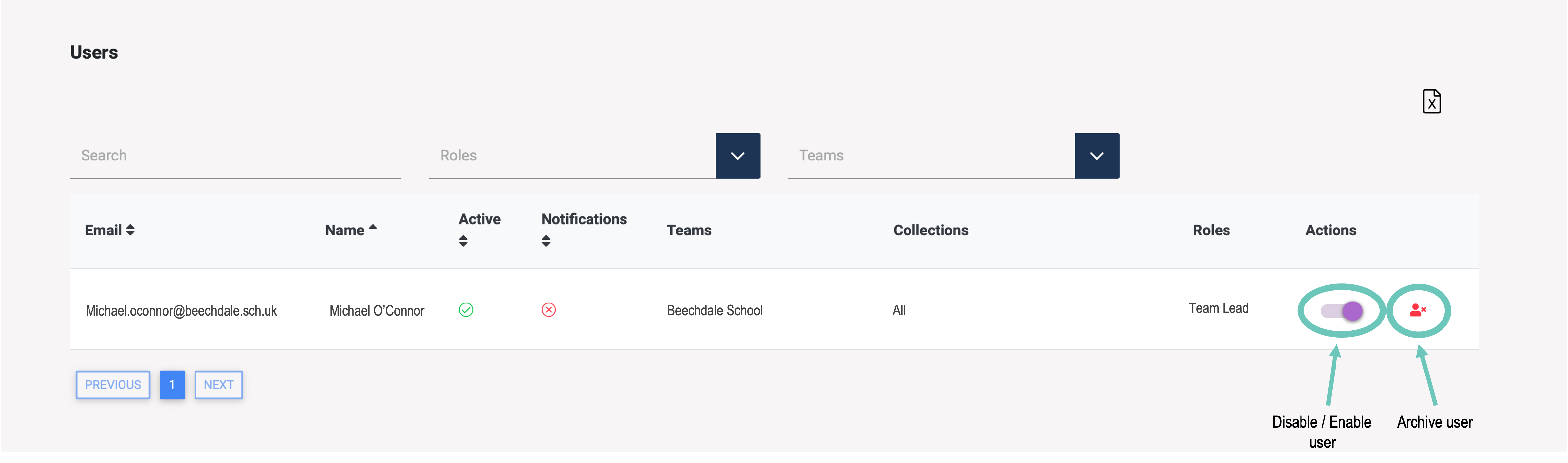
In My Users in the left-hand menu.
Next to the appropriate user, select Disable / Enable to suspend the user’s account or to enable it again
Or select archive user to permanently remove the user’s account.
Or
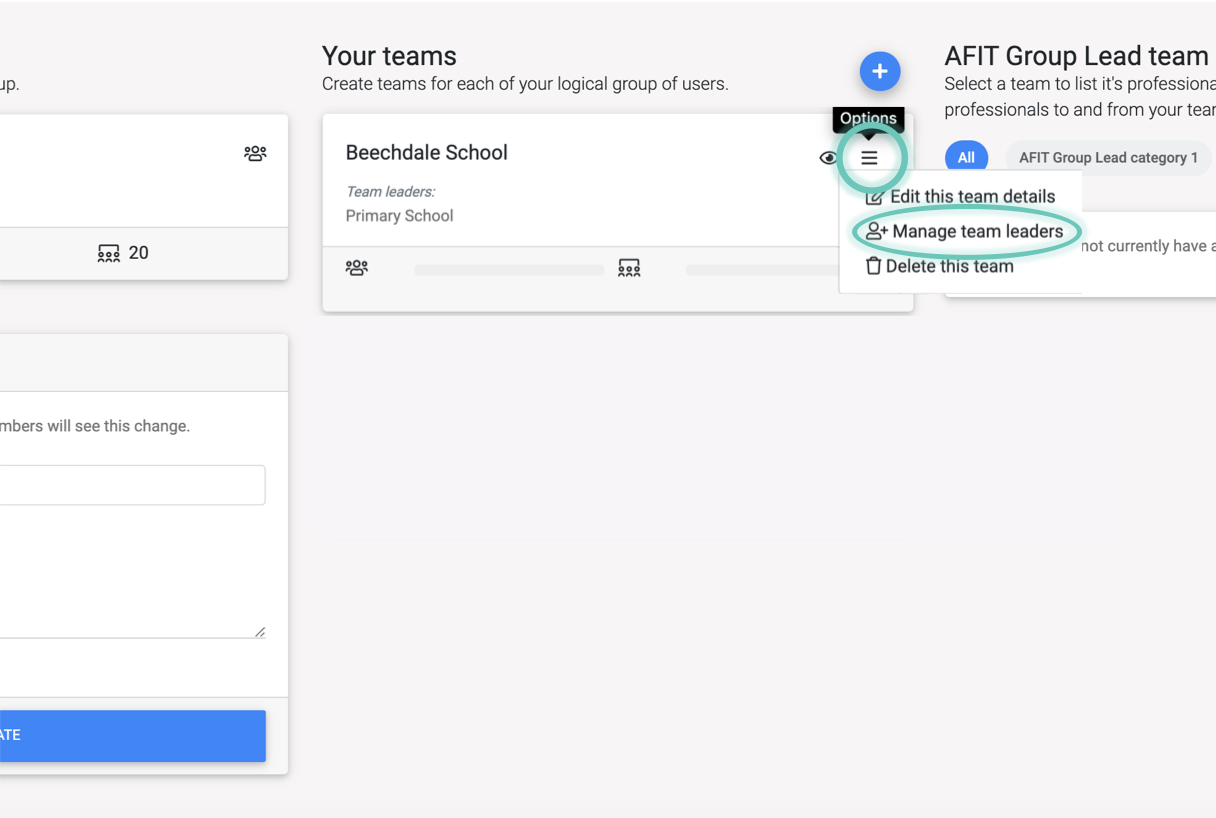
In My Groups / Teams, under Your Teams section, click on the options symbol of the team you want to edit and select Manage Team Leaders.
Under the tab Team Leaders click on the Delete icon.
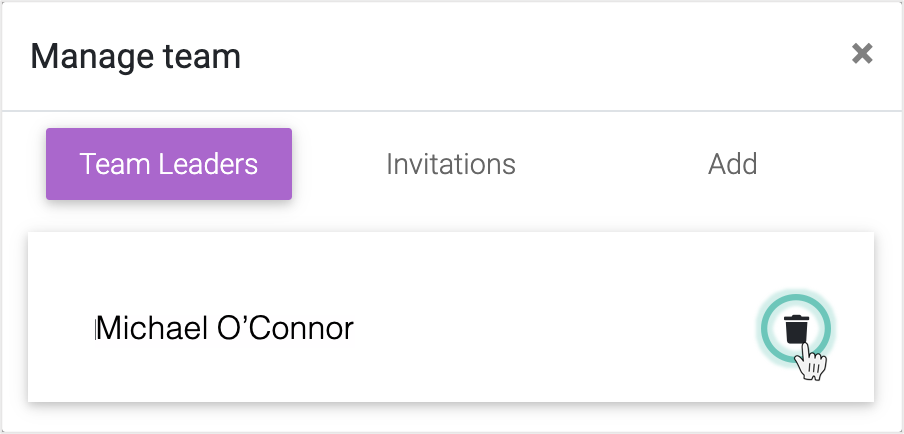
The Team Leader will be removed from the team and from your Reach2Teach AFIT account.